
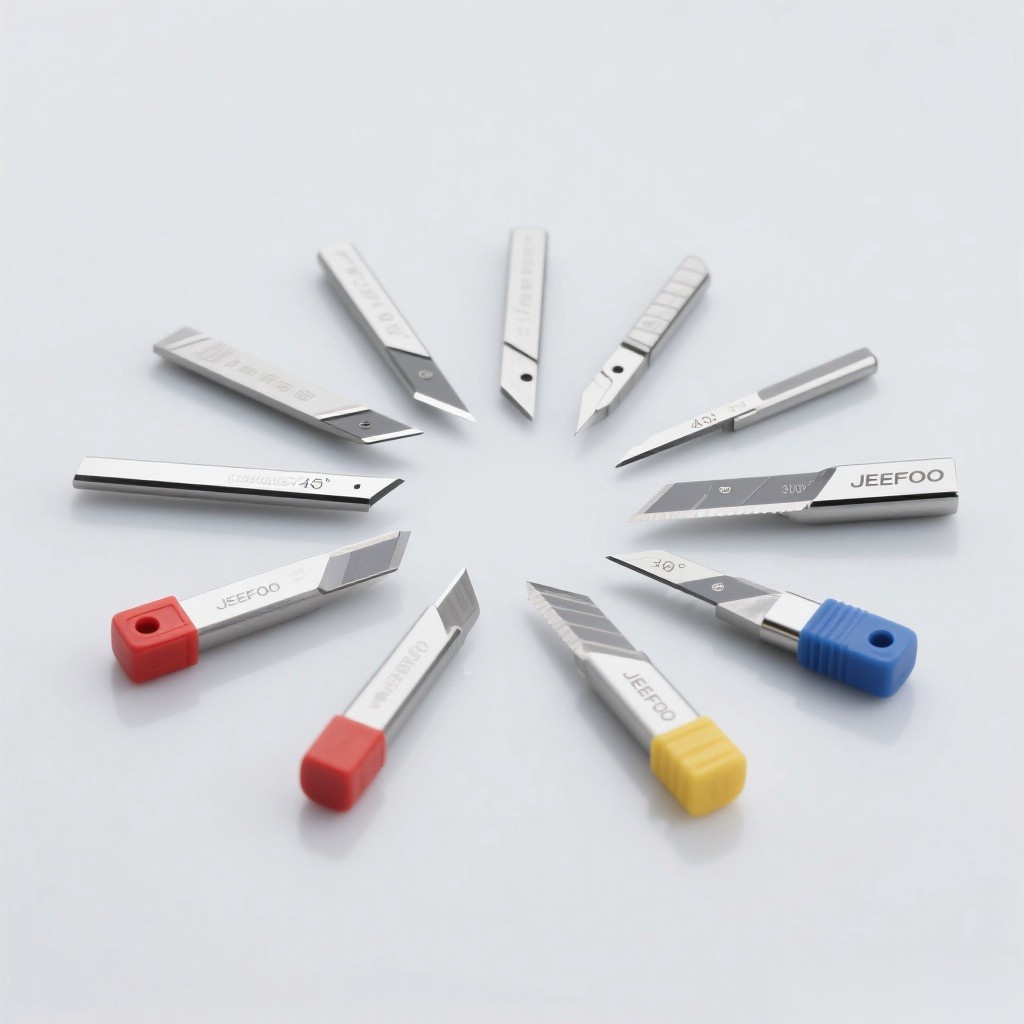
A single-edge cylindrical cutter is a carbide router designed for 2D cutting with a straight vertical wall rather than the sloped wall produced by a pointed engraving knife. It is commonly used for two-color engraving board, plastic sheet, thin acrylic, and inlay components that require parallel sides and a predictable fit.
What Is a Single-Edge Cylindrical Cutter?
The tool uses one cutting edge and a cylindrical cutting section. The single flute leaves a large chip channel, while the straight profile creates a vertical cut. Carbide provides useful hardness and wear resistance, but small diameters still require low runout, short projection, stable workholding, and effective chip removal.
Main Applications
| Application | Desired result | Selection note |
|---|---|---|
| Two-color board cutting | Clean separated letters and shapes | Match diameter to the narrowest internal feature |
| Plastic sheet profiling | Straight walls with controlled burrs | Maintain chip load to avoid melting |
| Thin acrylic cutting | Clear, low-chip profile | Validate sheet grade and thickness; the original application specifies below 3 mm |
| Inlay machining | Parallel male and female walls | Use measured kerf and finishing allowance |
| 2D contour work | Accurate outline without a V-shaped slope | Control runout and tool deflection |
Cylindrical Cutter vs. Pointed Engraving Knife
| Feature | Single-edge cylindrical cutter | Pointed knife |
|---|---|---|
| Wall shape | Straight and vertical | Sloped according to included angle |
| Width vs. depth | Primarily determined by cutter diameter | Groove becomes wider as depth increases |
| Best use | Profiles, cutouts, inlays, parallel sides | Fine engraving, V-grooves, corner detail |
| Tip strength | Depends on diameter and flute geometry | Fine point can dull or chip during cutting |
| Fit control | Suitable for measured male/female clearance | Depth error changes groove width |
Why Use a Single Flute?
A single-edge cylindrical cutter provides a large channel for plastic chips and can maintain practical chip thickness at high spindle speed. This helps reduce rubbing and heat when feed is correctly set. The tradeoff is an unbalanced cutting force, so the spindle, holder, panel support, and toolpath must remain stable.
How to Select the Correct Cutter
- Confirm the material. Record polymer type, thickness, coating, and melting behavior.
- Choose diameter. Use the largest rigid tool that still reaches the smallest feature.
- Limit cutting length. Use only enough flute length to clear the sheet.
- Match the shank. Use the correct collet and verify low runout.
- Plan clearance. For inlays, account for measured kerf, tool deflection, and finishing allowance.
- Use supplier data. Start with approved speed, feed, pass depth, and entry method.
Setup for Two-Color Board and Acrylic
- Clean the collet and carbide shank; keep projection short.
- Clamp the sheet flat and support the full programmed path.
- Use a lead-in or ramp approved for the cutter instead of an uncontrolled plunge.
- Set feed high enough to cut chips rather than rub, within tool limits.
- Use vacuum or directed air to remove chips before they are recut.
- Test the specific acrylic or plastic grade before production.
Using the Cutter for Inlay Work
Straight cutter walls make the tool useful for inlays because the male part and pocket can be programmed with parallel sides. Measure the actual cut width in the real material, then apply a deliberate clearance or interference allowance. Use a finishing pass if roughing deflection changes the fit, and verify corner radii because an internal corner cannot be sharper than the cutter radius.
Common Problems and Corrections
| Problem | Likely cause | Correction |
|---|---|---|
| Melted edge | Rubbing, low feed, packed chips | Restore chip load and evacuation |
| Burrs | Dull edge, weak support, unsuitable feed | Replace the cutter and stabilize the sheet |
| Oversize profile | Runout or deflection | Correct holding and use a finishing allowance |
| Cutter breakage | Long overhang, deep pass, impact | Shorten projection and reduce engagement |
| Poor inlay fit | Unmeasured kerf or corner mismatch | Test cut, compensate, and account for tool radius |
Selection Summary
Choose a single-edge cylindrical cutter when the job needs straight walls, efficient plastic chip evacuation, and predictable profile width. Match diameter, cutting length, carbide grade, shank, and cutting data to the actual material and machine. Browse related tools in the JeeFoo cutter library and follow applicable OSHA machine-guarding guidance.
Frequently Asked Questions
What is the main use of this cutter?
Its main use is 2D profile cutting in two-color board, compatible plastic sheet, thin acrylic, and inlay components requiring straight sides.
Can it cut thick acrylic?
Use only the material thickness and acrylic grade approved for the specific diameter and cutting length; the original application identifies acrylic below 3 mm.
Why is it suitable for inlays?
The cylindrical profile creates straight walls, allowing male and female parts to be compensated for a controlled fit.


发表回复
要发表评论,您必须先登录。