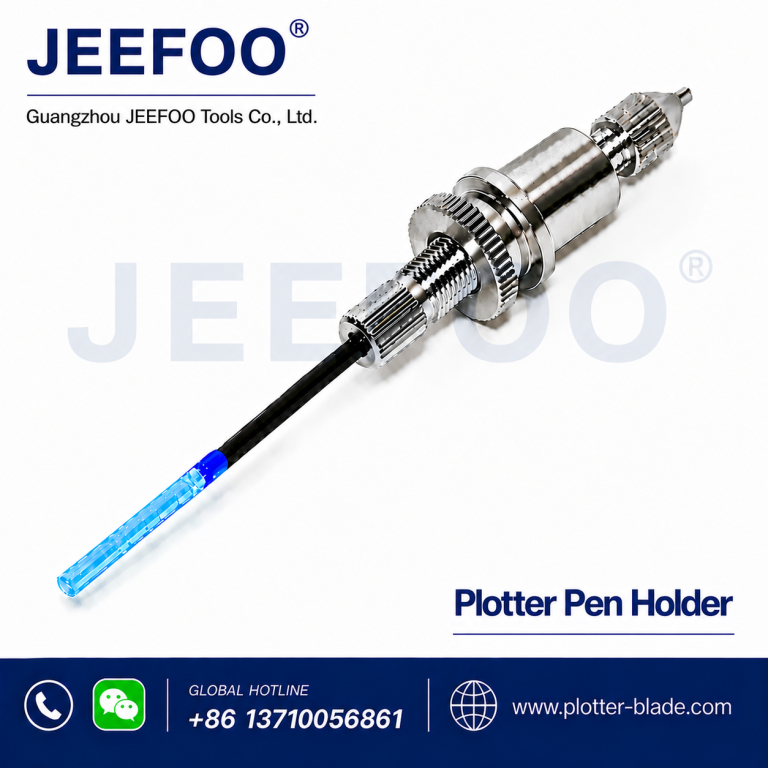
Roland cutting plotter pen holder selection affects drawing accuracy, repeatability, and workflow reliability. This guide explains dimensions, compatibility, installation, adjustment, maintenance, and purchasing considerations so sign makers and plotter operators can choose the right accessory with confidence.
What Is a Roland Cutting Plotter Pen Holder?
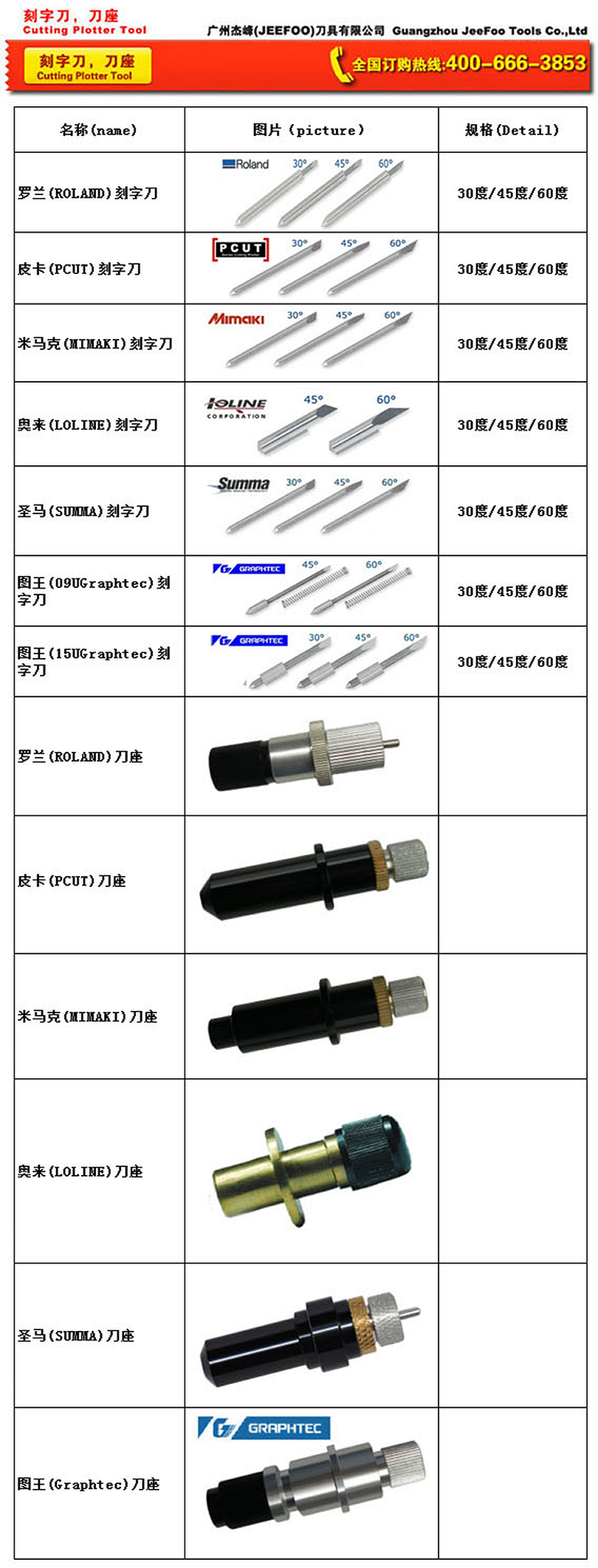
A Roland cutting plotter pen holder is an adjustable accessory that secures a compatible plotting pen in the tool carriage. It enables a vinyl cutter or plotter to draw registration marks, layout lines, samples, templates, and technical graphics instead of cutting media. A correctly fitted holder keeps the pen stable while allowing controlled tip height.
This model has an approximate outside diameter of 11.5 mm and an approximate length of 52 mm. It uses screw adjustment to help position and secure the pen. Always check these dimensions against the plotter carriage, original accessory, and pen body before ordering because machine revisions and third-party pens can vary.
Key Features and Benefits
- Adjustable fit: screw adjustment helps hold a compatible pen firmly.
- Stable plotting: reduced movement supports consistent lines.
- Flexible workflow: switch from cutting to drawing for proofs, templates, marks, and layouts.
- Compact size: approximately 11.5 mm in diameter and 52 mm long.
- Simple maintenance: easy to clean and inspect.
Roland Cutting Plotter Pen Holder Compatibility
Compatibility should be confirmed by measurement, not appearance alone. Check the tool-carriage opening on your Roland cutting plotter. Compare the holder diameter and length with the original part or Roland support documentation. Confirm that the carriage clamp closes securely without force. Finally, verify that the intended pen fits the holder and its tip reaches the media within a safe adjustment range.
Before purchase, provide the plotter model, existing holder dimensions, and pen diameter to the supplier. This reduces the risk of ordering a similar-looking part that does not seat correctly. If you use several machines, identify models that share the same carriage specification before standardizing inventory.
Installation and Setup
- Power off the plotter and follow the manufacturer’s carriage instructions.
- Remove the blade holder or existing tool without side force.
- Insert the Roland cutting plotter pen holder so it sits straight.
- Tighten the carriage clamp until secure; do not overtighten.
- Insert a compatible pen and use the screw adjustment to set its position.
- Run a small test plot on scrap media.
- Adjust pen height or software settings gradually until lines are clean.
Tips for Better Plotting Results
Use smooth, flat media and make sure the pinch rollers hold it evenly. A pen mounted too low may drag, damage the tip, or create heavy marks. A pen mounted too high may skip or produce incomplete lines. Begin with conservative settings and change one factor at a time. Remove dust, adhesive residue, and paper fibers from the holder and carriage area.
Store spare holders in a dry container and avoid impacts that could bend the body or adjustment screw. Inspect the pen tip regularly and replace worn pens before diagnosing the holder. When line quality changes, check media, pen condition, holder tightness, carriage seating, and plotter settings in a logical order.
Common Applications
Typical uses include drawing production guides, paper templates, sign layouts, vector artwork, scale checks, and sample graphics before cutting valuable vinyl. Pen plotting also supports training and calibration because a drawing test can reduce material waste.
How to Choose a Reliable Supplier
Ask for clear measurements, material details, adjustment information, and real product photos. A reliable supplier should help confirm compatibility using your machine model and measurements. For wholesale purchasing, request consistent tolerances, packaging details, lead times, and sample approval before a larger order.
Frequently Asked Questions
What size is this pen holder?
The listed dimensions are approximately 11.5 mm in diameter and 52 mm in length. Measure your existing holder and carriage before ordering.
Does it fit every Roland vinyl cutter?
No universal fit should be assumed. Compatibility depends on the plotter model, carriage design, and pen dimensions. Confirm all three before purchase.
Why does the pen skip while plotting?
Possible causes include incorrect pen height, a worn or dry pen, loose mounting, uneven media, debris, or unsuitable settings. Test each factor separately.
Can it be used for test drawings?
Yes. Test drawings help verify scale, alignment, and tool paths before cutting production media.
Order the Right Roland Cutting Plotter Pen Holder
For dependable results, match the holder dimensions to your carriage, verify pen fit, and test on scrap media. Contact Guangzhou JeeFoo Tools Co., Ltd with your Roland plotter model and measurements for compatibility guidance, samples, or wholesale information.